How to get your business listed on ChatGPT
Claim your business in the ChatGPT Business Hub in 8 simple steps, with screenshots.
Enter your email to read the full guide
You'll get a 6-digit code to confirm it. After that the whole guide, the PDF and the WhatsApp forward are open — on every guide on this site.
Your email goes only to CC (growth_by_cc), who may write to you about guides like this. No spam, never sold. Want it deleted? Write to cc@marketingstrategy.today.
ContentsBefore you start
- 8steps, from claim to status check
- 1DNS TXT record to prove you own your domain
- Draftis the status you'll see at first in the Business Hub
Your business, in ChatGPT
OpenAI now lets you claim your business in ChatGPT, to share what you offer, keep your information up to date, and understand and shape how you show up. Claiming it takes a few minutes in the Business Hub, plus however long your DNS takes to update.
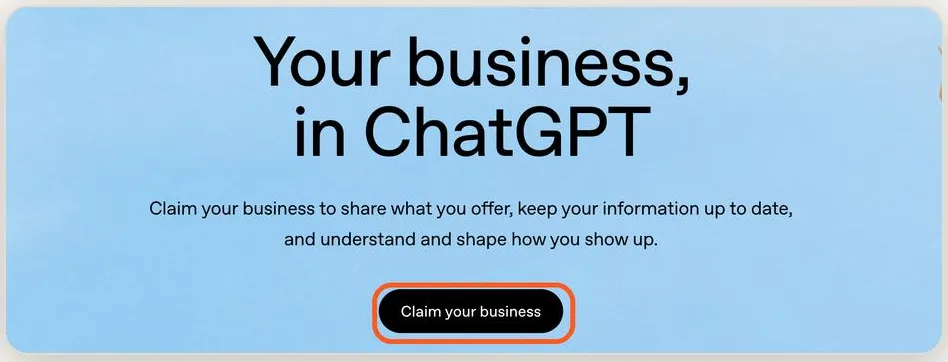
Step 1 — Open the Businesses in ChatGPT page
Go to openai.com/business/businesses-in-chatgpt and tap “Claim your business”.
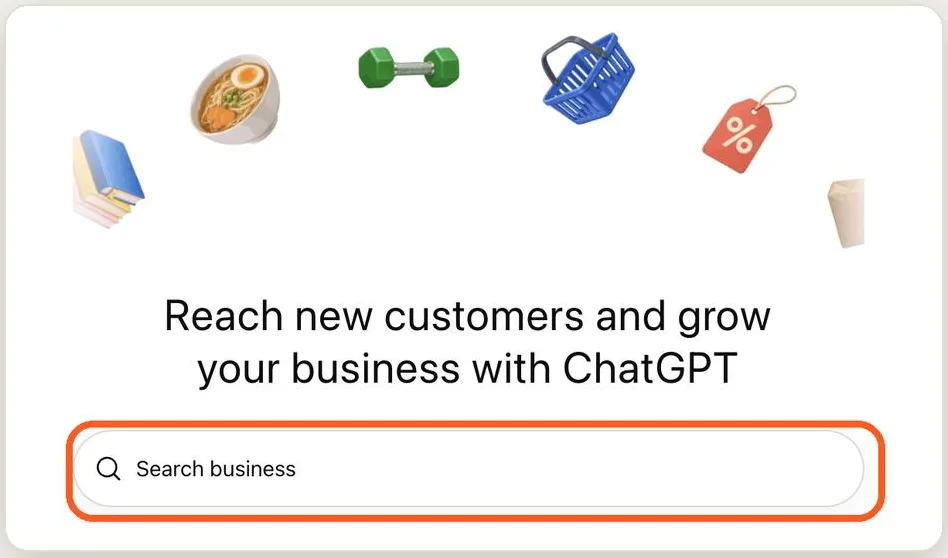
Step 2 — Log in and search for your business
Sign in to ChatGPT. You'll land on the Business Hub. Type your business name in the search bar.
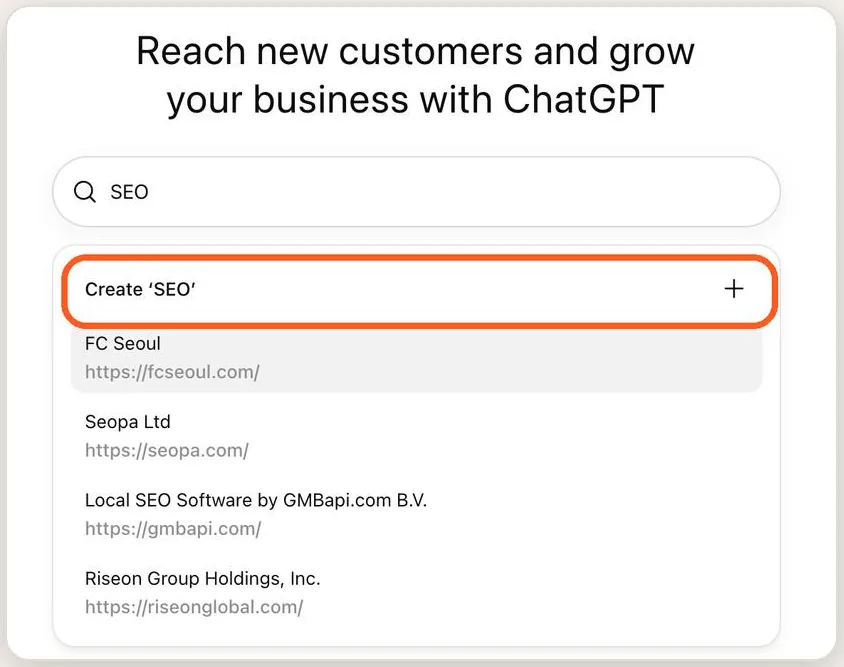
Step 3 — Select it or create a new listing
If your business shows up, select it. If not, tap “Create ‘Your Business’” to add it.
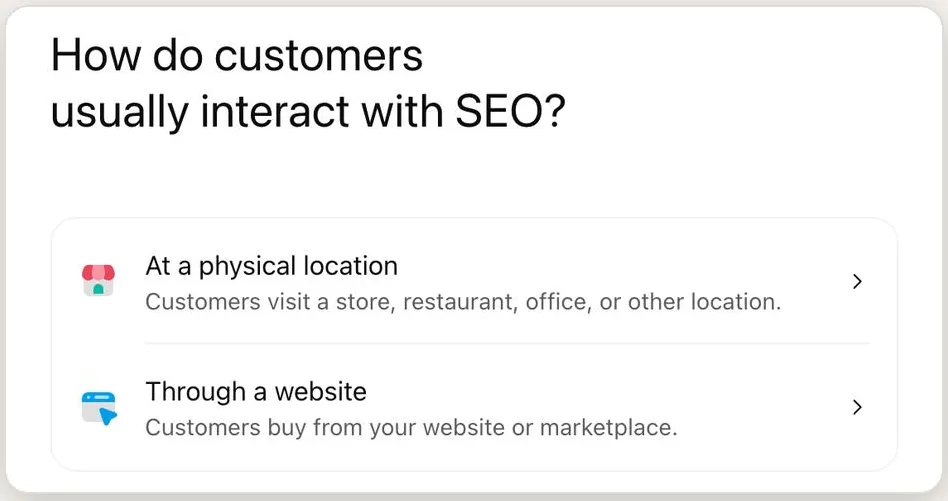
Step 4 — Tell ChatGPT how customers find you
Choose “At a physical location” (store, restaurant, office) or “Through a website” (online store or marketplace).
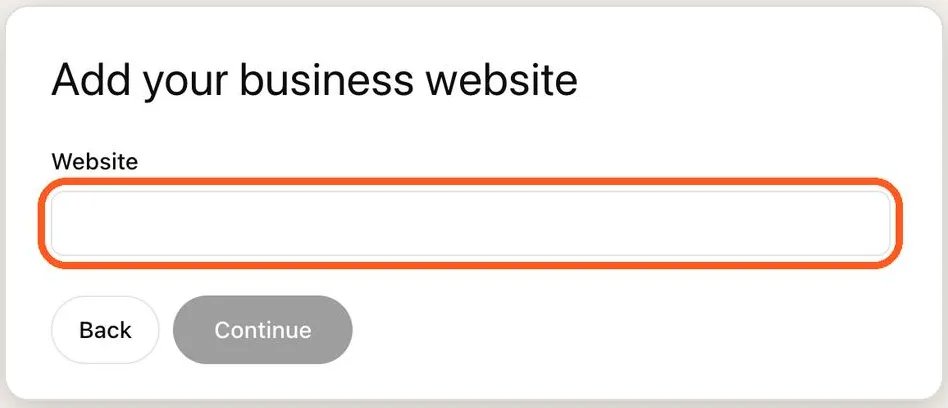
Step 5 — Add your business website
Enter your website URL (e.g. www.yourbusiness.com), then tap Continue.
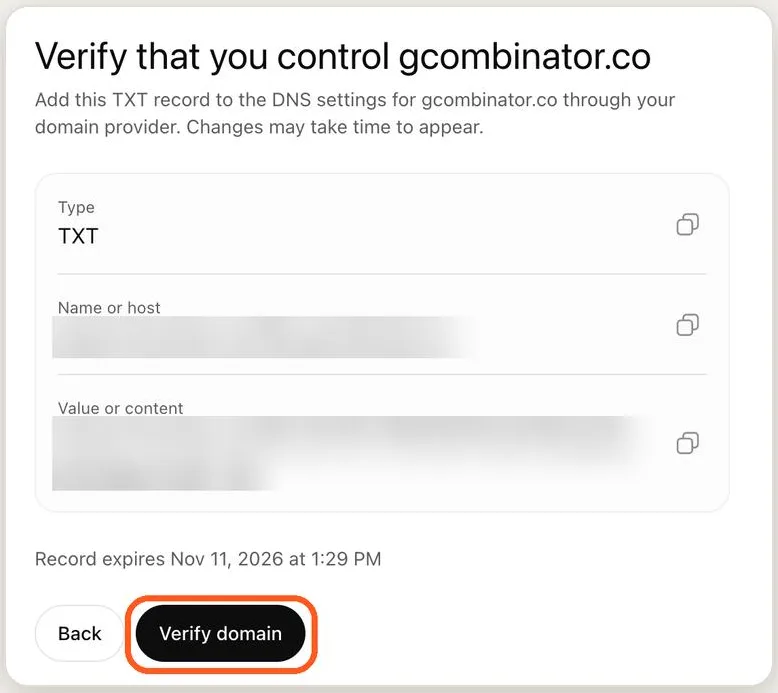
Step 6 — Verify you own the domain
Copy the TXT record (Type, Name/host, Value) into your domain provider's DNS settings, then tap “Verify domain”.
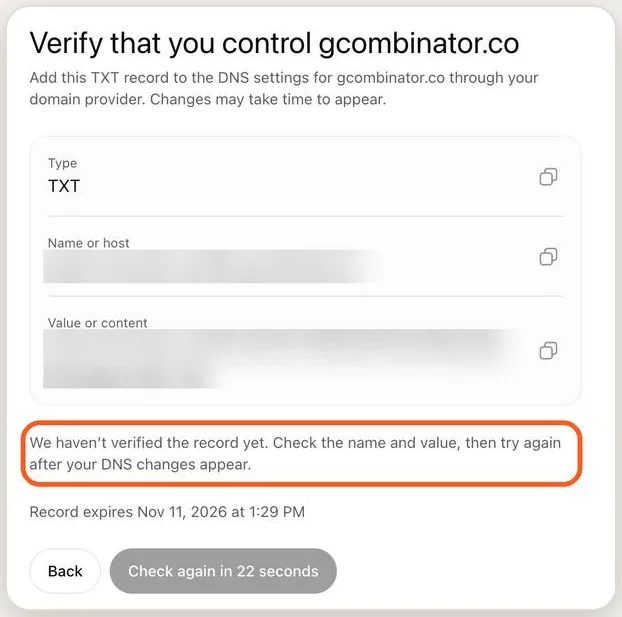
Step 7 — Not verified yet? Give DNS time
DNS changes can take a while to show up. Double-check the name and value, then tap “Check again”. Note the record's expiry time.
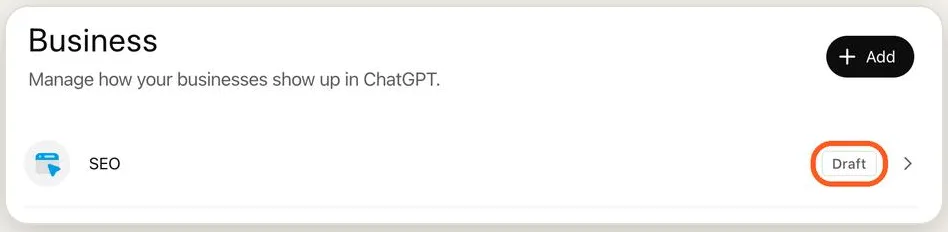
Step 8 — Check your registration status
Visit chatgpt.com/business-hub anytime to see your businesses and their status (e.g. Draft).
That's it. Your business is on its way into ChatGPT.
- Have access to your domain's DNS settings before you start.
- The TXT record expires, so add it soon after it's generated.
- Check chatgpt.com/business-hub to track your status.
Questions
How do I get my business listed on ChatGPT?
Go to openai.com/business/businesses-in-chatgpt and tap “Claim your business”. Sign in to ChatGPT, search for your business in the Business Hub, select it or create a new listing, choose how customers find you, add your website and verify your domain with a DNS TXT record.
What if my business doesn't show up in the search?
Tap “Create ‘Your Business’” at the top of the search results to add it as a new listing.
How do I verify my domain for ChatGPT?
ChatGPT gives you a TXT record with a type, a name or host, and a value. Add it to the DNS settings at your domain provider, then tap “Verify domain”. The record expires, so add it soon after it's generated.
Why is my domain not verified yet?
DNS changes can take a while to show up. Double-check the name and value, then tap “Check again”. Note the record's expiry time.
Where can I see my ChatGPT business listing status?
Visit chatgpt.com/business-hub anytime to see your businesses and their status, for example Draft.
Know a business owner who should be in ChatGPT? Forward this on WhatsApp — or keep the PDF with all eight steps and screenshots.